

 Image Inspiration from Material System Icon — Grid and Keyline Shape
Let’s begin by directing the above image into five sections
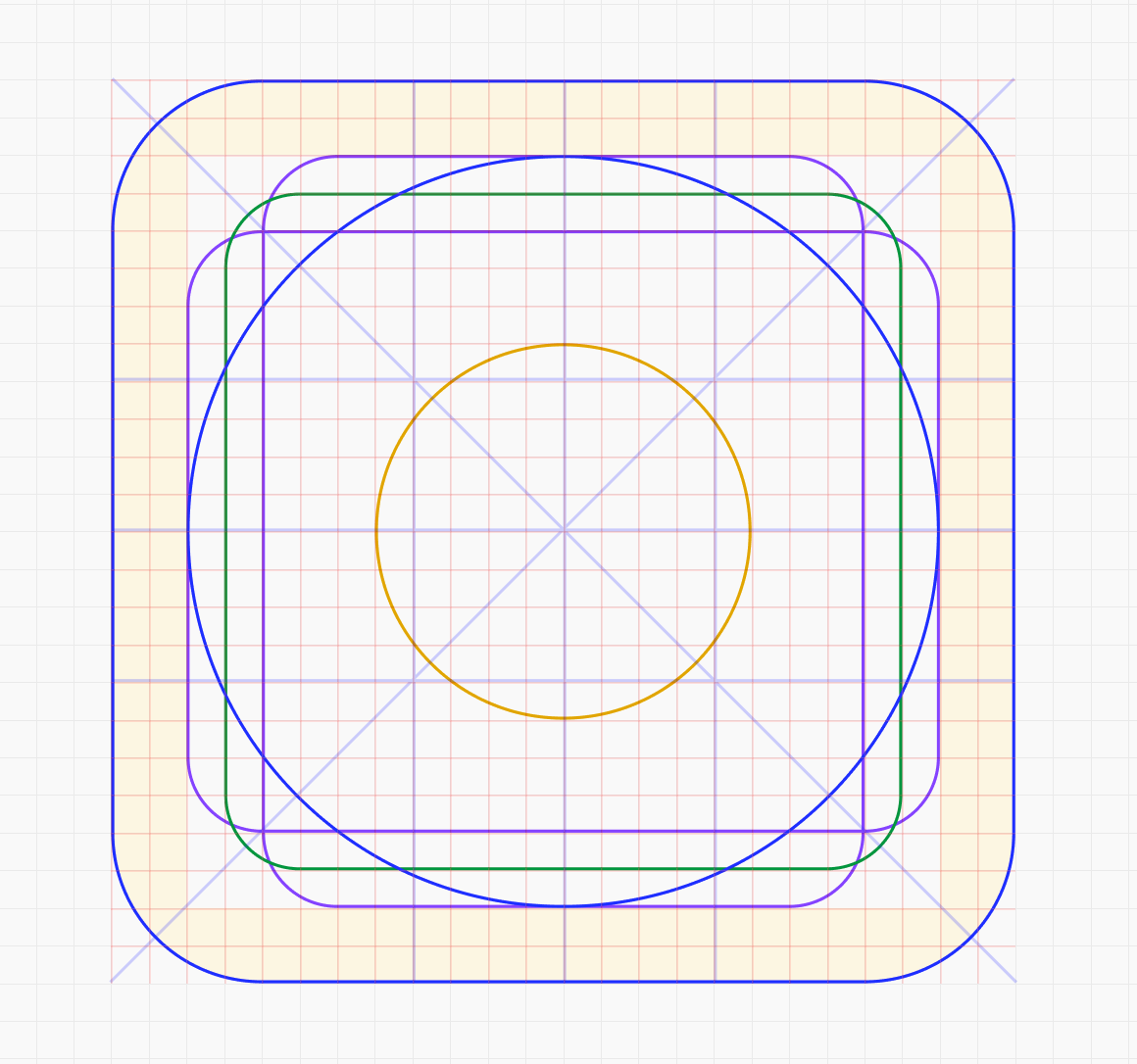
Combining these elements in one frame, you will get keylines and a grid to create icons.
 Grid — 1px (Image Inspiration from Material System Icon — Grid and Keyline Shape)
A grid is a series of intersecting vertical and horizontal lines across a structure. The Grid acts as an essential supporting structure that can be used to organize graphic elements.
I have used a 1px grid on a 24x24px canvas because I will create icons using 1.5px strokes; hence, using a 1px grid is more convenient than a 2px grid.
.png)
Add grid on the canvas using Layout Grid option in Figma.
 Orthogonal at 90° and 45° (Image Inspiration from Material System Icon — Grid and Keyline Shape)
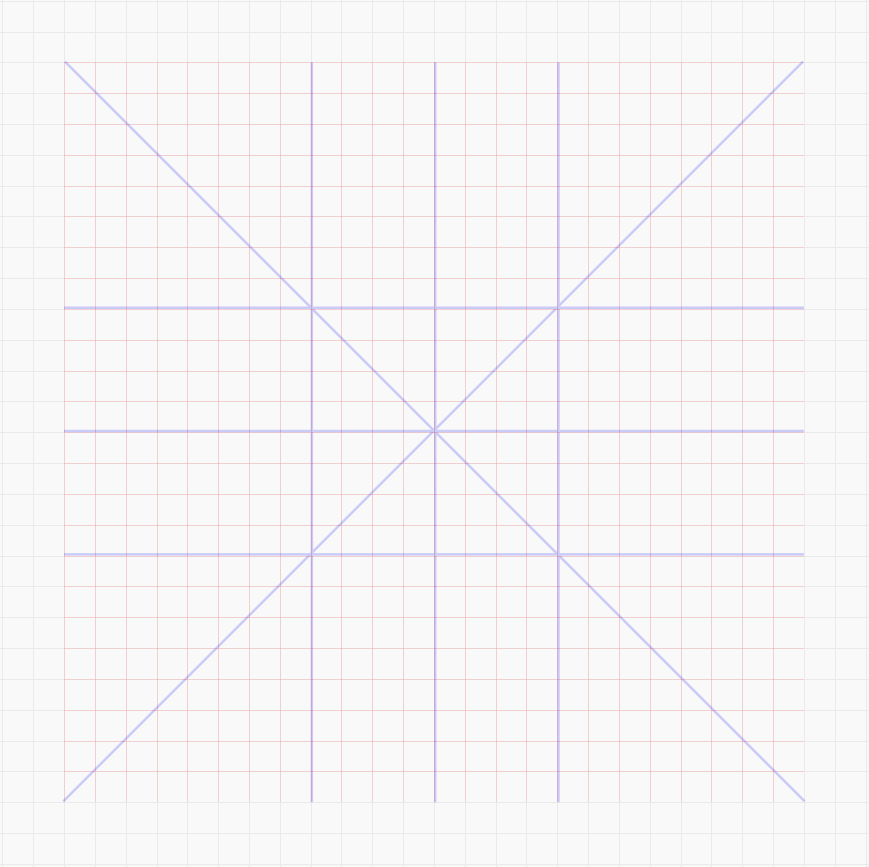
Orthogonal is the keylines that intersect the center point of the canvas and create additional vertices. These lines are commonly placed at 90°, 45°, 15°, and 5°. Mostly 90° and 45° are used. However, 15° and 5° can be added if required.
Add orthogonal lines at different angles by simply using the line tool.
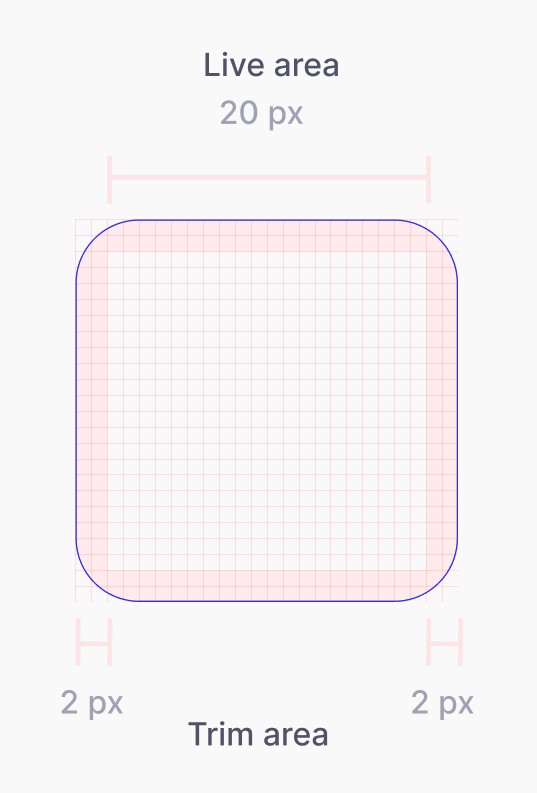 Image Inspiration from Material System Icon — Grid and Keyline Shape
The live area is the space where the main content of the icon is present. If required, the icon’s range can extend to the trim area but should not extend outside the trim area.
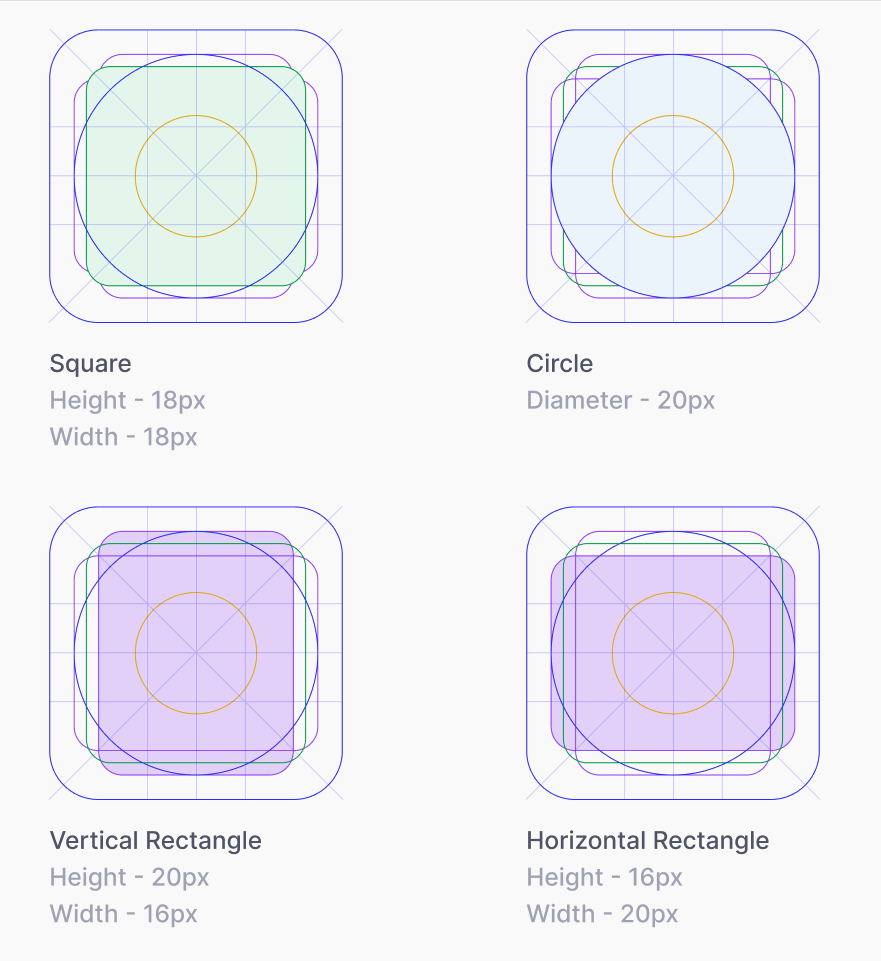 Image Inspiration from Material System Icon — Grid and Keyline Shape
Key Shapes is the helper guide to creating basic shapes like circles, rectangles, and squares.
I have placed five shapes with different dimensions as the key shapes because I will need those shapes frequently.
Each shape has a different color, so it is easy to identify while using them.
 Image Inspiration from Material System Icon — Grid and Keyline Shape
Mask is the container of the icon. Mask is primarily useful for Logo designs. It is used to clip content to the container. It can have a different border-radius depending on the use case.
By combining these Steps, you will get an Icon grid and Keylines. Use it to create a lot of icons :D
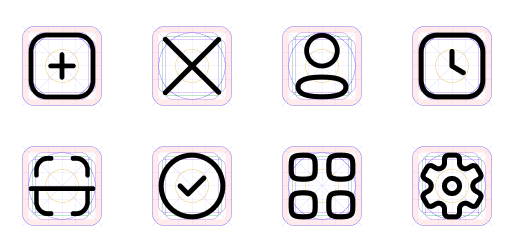
I have created an Icon library using this Grid and keylines for a spend management company — Fyle Technologies.